


A responsive navigation bar is one of the most important elements of any website. It helps users move smoothly through your pages whether they’re using a desktop, tablet, or mobile device. While JavaScript is commonly used for menu toggling, a responsive navbar can be built entirely with pure CSS, making it lightweight, fast, and easy to maintain.
In this tutorial, you will learn how to build a modern, clean, functional responsive navbar from scratch. We’ll walk through the complete HTML structure, CSS styling, and also include an optional JavaScript snippet if you want to enhance the user experience.
Project Overview
In this guide, you’ll create:
✔ A brand/logo section
✔ A standard horizontal desktop menu
✔ A hamburger icon for mobile
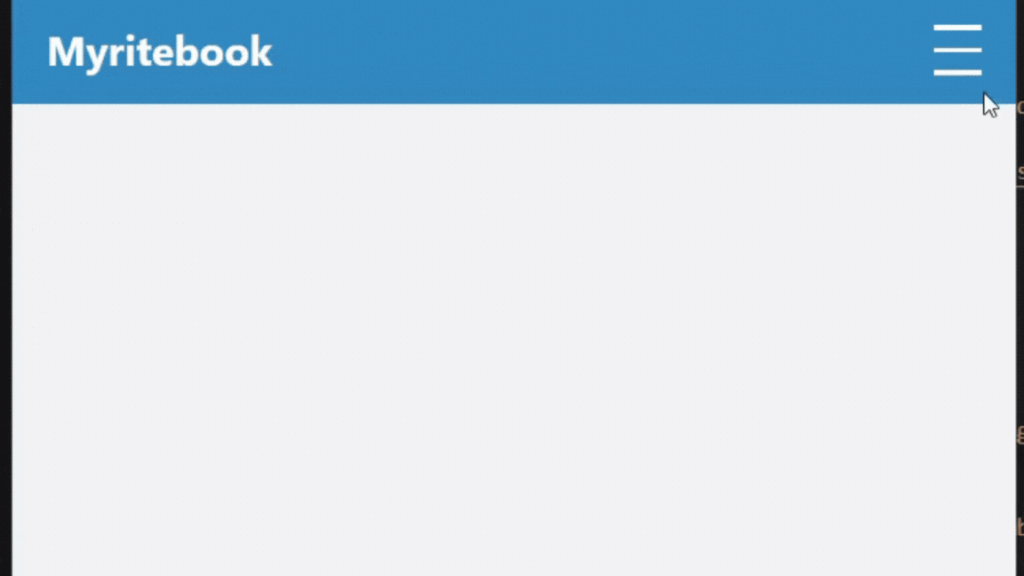
✔ A slide-down mobile menu using pure CSS
✔ A polished, modern design
✔ Optional JS animation toggle (if desired)
HTML Code (Responsive Navbar Structure)
<!DOCTYPE html>
<html lang="en">
<head>
  <meta charset="UTF-8" />
  <meta name="viewport" content="width=device-width, initial-scale=1.0" />
  <title>Responsive Navbar</title>
  <link rel="stylesheet" href="styles.css" />
</head>
<body>

  <nav class="navbar">
    <div class="brand">Myritebook</div>

    <!-- Checkbox Toggle -->
    <input type="checkbox" id="menu-toggle" class="menu-toggle">

    <!-- Hamburger Icon -->
    <label for="menu-toggle" class="hamburger">
      <span></span>
      <span></span>
      <span></span>
    </label>

    <!-- Navigation Links -->
    <ul class="nav-links">
      <li><a href="#">Home</a></li>
      <li><a href="#">About</a></li>
      <li><a href="#">Projects</a></li>
      <li><a href="#">Contact Us</a></li>
    </ul>
  </nav>

  <script src="script.js"></script>
</body>
</html>
CSS Code (Pure CSS Responsive Navbar Styling)
* {
  margin: 0;
  padding: 0;
  box-sizing: border-box;
}

body {
  font-family: "Segoe UI", sans-serif;
  background: #f2f2f2;
}

.navbar {
  width: 100%;
  background: #3482B5;
  color: #fff;
  padding: 12px 20px;
  display: flex;
  align-items: center;
  justify-content: space-between;
  position: relative;
}

.brand {
  font-size: 24px;
  font-weight: bold;
}

/* Hide checkbox */
.menu-toggle {
  display: none;
}

/* Hamburger Button */
.hamburger {
  display: none;
  flex-direction: column;
  cursor: pointer;
}

.hamburger span {
  width: 28px;
  height: 3px;
  background: #fff;
  margin: 5px 0;
  transition: 0.3s ease;
}

/* Navigation Links Desktop */
.nav-links {
  list-style: none;
  display: flex;
  gap: 20px;
}

.nav-links a {
  text-decoration: none;
  color: #fff;
  padding: 10px 8px;
  transition: 0.3s;
}

.nav-links a:hover {
  background: rgba(255, 255, 255, 0.25);
  border-radius: 4px;
}

/* Responsive Styles */
@media (max-width: 800px) {

  .hamburger {
    display: flex;
  }

  .nav-links {
    position: absolute;
    top: 60px;
    left: 0;
    width: 100%;
    background: #222;
    flex-direction: column;
    text-align: center;
    max-height: 0;
    overflow: hidden;
    transition: 0.4s ease;
  }

  .nav-links li {
    padding: 15px 0;
  }

  /* Toggle Menu When Checkbox is Active */
  .menu-toggle:checked ~ .nav-links {
    max-height: 300px;
  }
}
Optional JavaScript (Smooth Hamburger Animation)
(Completely optional — the navbar works perfectly without JS)
// Optional: Animate hamburger icon on click
const toggle = document.querySelector(".menu-toggle");
const hamburger = document.querySelector(".hamburger");

toggle.addEventListener("change", () => {
  hamburger.classList.toggle("active");
});
Add this CSS to animate the hamburger:
.hamburger.active span:nth-child(1) {
  transform: rotate(45deg) translate(5px, 5px);
}

.hamburger.active span:nth-child(2) {
  opacity: 0;
}

.hamburger.active span:nth-child(3) {
  transform: rotate(-45deg) translate(6px, -6px);
}
Final Output for Responsive Navbar CSS
Conclusion
Building a responsive navbar with pure CSS is efficient, fast, and ideal for modern web design. With the combination of a hidden checkbox and CSS selectors, you can create a fully functional mobile menu without a single line of JavaScript. For those who prefer interactive animations, optional JS enhances the experience but isn’t required.
This responsive navbar will look clean on desktops and adapt beautifully to mobile screens, ensuring a smooth user experience across all devices.
Learn how to build a clean, mobile-friendly responsive navbar using pure CSS and optional JavaScript. Step-by-step guide with optimized HTML, CSS, and JS code for modern website navigation.